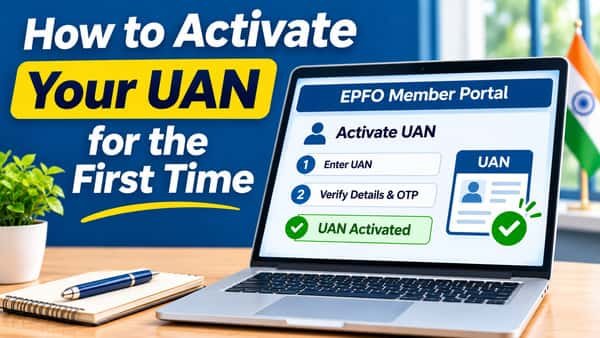
How to activate your UAN for the first time used to involve a four-digit authorisation PIN on the EPFO website. That route has been switched off. Since 1 August 2025, EPFO allows UAN allotment and activation only through the UMANG app, using an OTP on your Aadhaar-linked mobile and a live face scan matched against Aadhaar. The whole process usually takes about ten minutes if your Aadhaar details are in order, and at the end a text message brings your UAN and a temporary password. It’s also the step employers now need completed for new joiners to qualify for incentives like PM-VBRY.
| Particular | Details |
| Where activation happens | UMANG app only, since 1 August 2025 |
| Old portal activation | Discontinued |
| Apps needed | UMANG and Aadhaar Face RD (UIDAI) |
| Where EPFO points users to get them | Google Play Store |
| Details needed for a new UAN | Aadhaar number and Aadhaar-linked mobile number |
| Details needed to activate an existing UAN | UAN, Aadhaar number and Aadhaar-linked mobile number |
| Verification | OTP on the Aadhaar-linked mobile, plus live face authentication |
| What you receive | UAN by SMS; UAN and temporary password by SMS when activating |
| Employer involvement | Not needed for generation or activation |
| Duplicate check | The system checks whether your Aadhaar is already linked to a UAN |
| Cost | Free |
| Time taken | Usually a few minutes once both apps are installed |
Which Path Are You On?
UMANG offers two separate activation services. Choosing the wrong one is the first thing that trips people up.
| Your situation | Service to choose |
| First job, no UAN yet, or employer asked you to generate one | UAN Allotment and Activation |
| Employer already gave you a UAN on the offer letter or salary slip | UAN Activation |
| UAN already active, but EPFO or employer needs face verification | Face Authentication of Already Activated UANs |
Not sure whether a UAN already exists? Check your salary slip, ask HR, or simply start with UAN Allotment and Activation. The system checks whether your Aadhaar is already linked to a UAN before creating anything new, which prevents duplicates.
Before You Begin
Keep these ready so you don’t stop halfway:
- An Android smartphone with a working front camera
- The UMANG app and UIDAI’s Aadhaar Face RD app, both installed and updated
- Your 12-digit Aadhaar number
- Access to the mobile number linked to Aadhaar, since the OTP goes there
- Your UAN, if your employer already created one
- A quiet, well-lit spot
If the mobile number linked to Aadhaar no longer works, update it through UIDAI first. Nothing in this process can move forward without that OTP.
Path 1: Getting and Activating a New UAN
This is for employees who don’t yet have a UAN.
- Open UMANG and search for EPFO.
- Go to the UAN services through face authentication and tap UAN Allotment and Activation.
- Enter your Aadhaar number and the mobile number linked to Aadhaar.
- Tick the consent box for Aadhaar validation.
- Tap Send OTP. If prompted, install the Aadhaar Face RD app.
- Enter the OTP received on your mobile.
- Let the system check whether your Aadhaar is already linked to a UAN.
- If no UAN exists, tick the consent box for face authentication and tap Face Authentication.
- Complete the face scan when the camera opens.
- Receive your UAN by SMS.
Share the new UAN with your employer. They use it to link your member ID when filing contributions, which is how your PF starts flowing into the account.
Path 2: Activating a UAN Your Employer Already Created
This is for employees whose employer generated a UAN that has never been activated.
- Open UMANG and search for EPFO.
- Tap UAN Activation under the face authentication services.
- Enter your UAN, Aadhaar number and Aadhaar-linked mobile number.
- Tick the consent box for Aadhaar validation.
- Tap Send OTP and enter the code you receive.
- Wait for validation. The system checks that your UAN and Aadhaar are linked in EPFO’s records.
- Tick the consent box for face authentication and tap Face Authentication.
- Complete the face scan.
- Receive your UAN and a temporary password by SMS.
If step 6 fails, your employer may not have linked Aadhaar correctly when creating the UAN. That’s an employer-side fix, covered in the troubleshooting table below.
The Face Scan: Getting It Right the First Time
The scan compares a live image of your face with UIDAI’s records. Small things make a big difference:
- Hold the phone at eye level, about an arm’s length away.
- Take off glasses, caps and face masks.
- Face a window or a lamp so light falls on your face, not behind you.
- Keep only your face in the frame, with nobody standing behind you.
- Follow on-screen prompts such as blinking, and stay still until the scan finishes.
- Use a stable internet connection so the scan doesn’t time out.
If your Aadhaar biometrics are locked through UIDAI’s services, unlock them temporarily before trying.
Your First Login After Activation
Activation isn’t the finish line. Within a day or two:
- Log in to the member portal with your UAN and the temporary password from the SMS.
- Set a permanent password when prompted. Pick one you don’t use anywhere else.
- Check your profile. Name, date of birth and gender should match Aadhaar.
- Confirm your employer’s member ID appears under your UAN, especially after the first month’s contribution.
- Add your bank account and PAN to KYC, and file an e-nomination when you can.
Delete the temporary password SMS once you’ve changed it.
When Activation Doesn’t Go Through
| Problem | Likely reason | What to do |
| OTP doesn’t arrive | Aadhaar-linked mobile is inactive or out of reach | Update the mobile number in Aadhaar through UIDAI, then retry |
| “Invalid Aadhaar or mobile” | Typo, or the mobile isn’t the one linked to Aadhaar | Recheck both numbers carefully |
| Face authentication fails repeatedly | Poor light, outdated apps or locked biometrics | Update both apps, improve lighting, unlock biometrics and retry |
| UAN and Aadhaar don’t match during activation | Employer didn’t seed Aadhaar correctly on your UAN | Ask your employer to verify and update your Aadhaar details |
| System shows a UAN already exists | Your Aadhaar is already linked to a UAN | Use that UAN and choose the UAN Activation service instead |
| Name or date of birth mismatch | Employer records differ from Aadhaar | Ask HR to correct the details, then try again |
| You only have an iPhone | Face RD app access is centred on Android | Use a trusted family member’s Android phone; the OTP still comes to your own Aadhaar-linked number |
If you’re stuck after a few attempts, take screenshots of the error and contact your employer’s HR team or EPFO’s helpline. Repeated failed attempts won’t fix a data mismatch; only correcting the record will.
A Note for Employers
Since 1 August 2025, new UANs for employees must be generated through face authentication on UMANG. HR teams find it easiest to:
- Ask new joiners to complete UAN Allotment and Activation on day one, with help if needed.
- Collect the UAN before the first salary run so contributions are linked without delay.
- Check whether the joiner already has a UAN from a previous job before anyone generates a new one.
For first-time employees, an Aadhaar-authenticated UAN is also what makes them eligible for the PM-VBRY incentive.
FAQs
Can I activate my UAN on the EPFO website?
No, UAN activation through the EPFO portal has been discontinued, and activation now happens only through the UMANG app.
What do I need to activate my UAN for the first time?
You need your Aadhaar number, access to your Aadhaar-linked mobile, and the UMANG and Aadhaar Face RD apps.
Which UMANG option should I choose if I don’t have a UAN?
Choose UAN Allotment and Activation, which generates a new UAN after face authentication.
How do I activate a UAN my employer already created?
Choose UAN Activation in UMANG, enter your UAN, Aadhaar and mobile number, verify the OTP and complete the face scan.
Will I get a password after UAN activation?
Yes, your UAN and a temporary password are sent by SMS, which you change on first login.
Why is my UAN face authentication failing?
Common reasons are poor lighting, outdated apps or locked Aadhaar biometrics.
What happens if my Aadhaar is already linked to a UAN?
The system detects it, so you should activate that existing UAN instead of creating a new one.
Is employer approval needed to activate UAN?
No, employees can generate and activate their UAN themselves through UMANG.