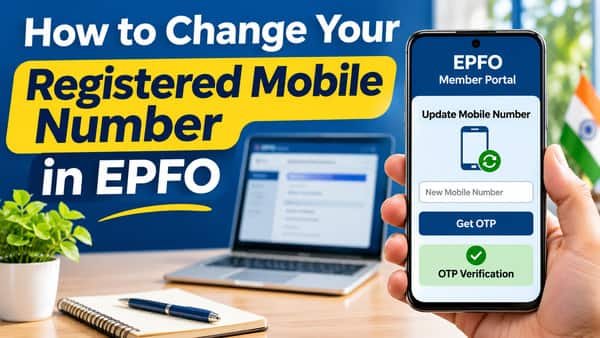
How to change your registered mobile number in EPFO starts with a question most members don’t realise they need to ask: which number? EPFO’s systems lean on two different mobile numbers. One is the number registered with your UAN, which receives login OTPs and the SMS alerts EPFO sends about contributions and claims. The other is the number linked to your Aadhaar, which receives the OTPs for Aadhaar e-sign, used when you file claims, submit nominations or activate a UAN. Often they’re the same number, but when they aren’t, members can get stuck halfway through a claim wondering why the OTP isn’t arriving. Updating the right one, or ideally keeping both identical, solves most of the trouble.
| Particular | Details |
| Where to update when logged in | Member portal: Manage > Contact Details > Change Mobile No. |
| OTP for the change | Sent to the new mobile number |
| If password and old number are both lost | Forgot Password route with identity check against Aadhaar or PAN |
| Aadhaar-linked number | Updated only through UIDAI, not EPFO |
| Email update | Same Contact Details page |
| Offline help | Employer or EPFO office; grievance on EPFiGMS |
| Cost on EPFO’s side | Free |
Two Numbers, Two Jobs
| Service | Number that receives the OTP or message |
| Member portal login | EPFO-registered mobile |
| Missed call and SMS balance services | EPFO-registered mobile |
| EPFO alerts about contributions and claims | EPFO-registered mobile |
| Aadhaar e-sign for claims and e-nomination | Aadhaar-linked mobile |
| UAN activation through face authentication | Aadhaar-linked mobile |
| KYC actions that use Aadhaar verification | Aadhaar-linked mobile |
The safest setup is simple: use one mobile number for both Aadhaar and EPFO. Then every OTP lands in the same place.
If You Can Still Sign In
This is the easiest case, even if you no longer have the old SIM.
- Sign in at unifiedportal-mem.epfindia.gov.in with your UAN and password.
- Open Manage > Contact Details.
- Tick Change Mobile No.
- Enter the new number twice.
- Click Get Authorization PIN (sometimes labelled Get Mobile OTP).
- Enter the OTP sent to the new number and confirm.
The new number becomes your registered mobile straight away. Send yourself a test by giving a missed call to EPFO’s balance service from the new number. If you get an SMS back, it’s working.
If You’ve Lost the Old Number and Forgotten the Password
This is the tricky combination, but there’s still a self-service route through the password reset:
- Click Forgot Password on the member portal’s login page.
- Enter your UAN and the captcha.
- When asked whether you can receive the OTP on your registered mobile, choose No.
- Enter your name, date of birth and gender exactly as in EPFO records, then click Verify.
- Verify your identity with Aadhaar (or PAN, if offered), enter the captcha, give consent and click Verify.
- Enter your new mobile number and click Get OTP.
- Enter the OTP sent to the new number and verify.
- Set a new password and submit.
Your password is reset and the new number is registered in one go. Using the number already linked to your Aadhaar here keeps everything aligned for later.
If step 4 fails, the name, date of birth or gender you entered doesn’t match EPFO’s records. Check an old salary slip or UAN card for the exact spelling EPFO holds, and try again.
If Your Aadhaar-Linked Number Is Also Outdated
EPFO can’t change the mobile number on your Aadhaar. That’s handled by UIDAI:
- Visit an Aadhaar enrolment or update centre with your Aadhaar.
- Request a mobile number update; a small fee applies.
- Wait for UIDAI to confirm the update, usually by SMS.
Until this is done, anything on EPFO that needs Aadhaar e-sign, such as filing a claim or nomination, won’t work, because the OTP goes to the old number. Once updated, come back and make your EPFO-registered number match it.
Changing Your Email at the Same Time
The same Manage > Contact Details page has a Change Email ID option. Enter the new email, request the verification code, and confirm it. An updated email is useful for receiving EPFO communications and helps if you ever need to verify your identity through other channels.
When the Online Routes Don’t Work
Sometimes neither route succeeds, for example when your EPFO record has an old name spelling and your Aadhaar has another, or when Aadhaar isn’t linked to your UAN at all. In that case:
- Ask your current employer’s HR to help verify your details and guide you on corrections.
- Raise a grievance on EPFiGMS explaining that you’ve lost access to your registered mobile, with your UAN, name, date of birth and employer details.
- Visit the EPFO regional office that covers your current or last employer, with Aadhaar, PAN and your UAN card or old salary slips.
Fix the underlying mismatch first, such as a name or date of birth difference. After that, the mobile update usually goes through without trouble.
Mistakes to Avoid
- Registering a family member’s number. OTPs for your PF should come to you. Using someone else’s phone makes every claim dependent on them.
- Using a number you’re about to give up, such as an office SIM or a prepaid connection you rarely recharge.
- Sharing OTPs with anyone offering to “update your mobile for you.” EPFO never asks for OTPs by call or message.
- Updating EPFO but not Aadhaar, or the other way round, and then finding claims stall at e-sign.
- Ignoring sudden loss of signal or SMS. If your phone stops receiving messages without explanation, contact your mobile operator quickly. A swapped SIM could expose your OTPs to someone else.
A Quick Check Once You’re Done
- Log in to the member portal using the new number’s OTP.
- Give a missed call to EPFO’s balance service and confirm the SMS reply.
- Confirm that your Aadhaar-linked number is the same, or plan to update it.
- Download a fresh UAN card for your records.
FAQs
Q1. How do I change my mobile number in EPFO?
A. Sign in to the member portal, go to Manage > Contact Details, select Change Mobile No., enter the new number and verify the OTP.
Q2. Can I change my EPFO mobile number without the old number?
A. Yes, if you can log in, the OTP goes to the new number; if not, use the Forgot Password route.
Q3. How do I change my EPFO mobile number if I forgot my password?
A. Use Forgot Password, choose No for OTP on the old number, verify your details with Aadhaar or PAN, then register the new number.
Q4. Is the EPFO registered mobile the same as the Aadhaar-linked mobile?
A. Not necessarily; they’re separate records, and keeping them the same avoids OTP problems.
Q5. Why am I not getting the OTP for my PF claim?
A. Claim e-sign OTPs go to your Aadhaar-linked mobile, which may be outdated.
Q6. Can EPFO update the mobile number on my Aadhaar?
A. No, the Aadhaar-linked number can be updated only through UIDAI.
Q7. Can I change my email ID on the EPFO portal?
A. Yes, through the Change Email ID option on the Contact Details page.
Q8. What should I do if online mobile update fails?
A. Check that your name and date of birth match EPFO records, then contact HR, raise an EPFiGMS grievance or visit the EPFO office.