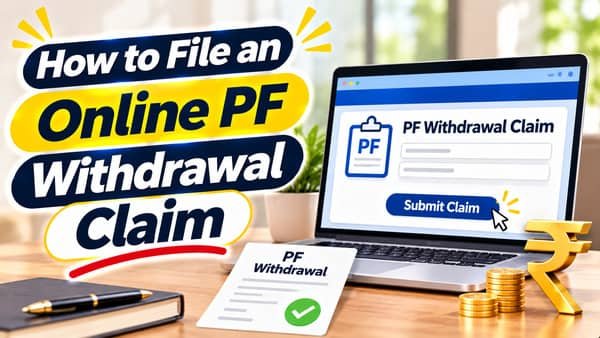
How to file an online PF withdrawal claim takes about ten minutes on the EPFO member portal. The part that decides whether the money lands in three working days or the claim bounces back three weeks later happens before you open the form: picking the right claim type, checking that your KYC is fully verified, and making sure your bank account is one EPFO can actually pay into. Since 2025, eligible advance claims up to ₹5 lakh can be settled automatically, without anyone at an EPFO office touching the file. That speed only works when the data behind your UAN is clean.
| Particular | Details |
| Where | EPFO member portal, Online Services > Claim (Form-31, 19, 10C & 10D) |
| Login | UAN, password, captcha, OTP |
| Final step | Aadhaar OTP on the Aadhaar-linked mobile |
| Partial advance | Form 31 |
| Final PF settlement | Form 19 |
| Pension withdrawal benefit | Form 10C |
| Monthly pension claim | Form 10D |
| Partial withdrawal categories | Three: essential needs, housing needs, special circumstances (from October 2025) |
| Minimum service for partial withdrawals | 12 months |
| Balance kept back | A minimum portion is retained as a retirement cushion |
| Auto-settlement limit | ₹5 lakh for eligible advance claims |
| Typical auto-settlement time | About three working days |
| Employer approval for online claim | Not needed when KYC is complete and verified |
| Tracking | Online Services > Track Claim Status |
| Cost | Free |
Pick the Right Form First
Choosing the wrong form is one of the quickest ways to have a claim rejected.
| Form | What it’s for | When to use it |
| Form 31 | Partial withdrawal (advance) while your account is active | Medical needs, education, marriage, housing and other permitted purposes |
| Form 19 | Final settlement of your EPF balance | After retirement, or after the required period of unemployment |
| Form 10C | Pension withdrawal benefit or scheme certificate | When leaving with less than ten years of pension service, subject to waiting periods |
| Form 10D | Monthly pension | When you’re eligible to start drawing a pension |
If you’re still employed and need money for a specific purpose, Form 31 is almost always the right choice. Final settlement and pension withdrawal are for people who have left covered employment and meet the waiting periods.
Your Pre-Claim Checklist
Five minutes here saves weeks later:
- Aadhaar is verified against your UAN and shows as verified in KYC.
- Your bank account is verified, active and in your own name. Joint accounts and closed accounts are common reasons for failure.
- PAN is linked, which affects tax deduction on some withdrawals.
- Name, date of birth and gender match Aadhaar exactly.
- Your Aadhaar-linked mobile works, since the final OTP goes there.
- For Form 19 or 10C: your date of exit from the last employer is updated.
- For Form 31: you have at least 12 months of service and know which purpose category applies.
If any item shows as pending, fix it first. Filing with incomplete KYC rarely ends well.
Filing the Claim, Screen by Screen
- Sign in at unifiedportal-mem.epfindia.gov.in with your UAN, password and captcha.
- Open Online Services and choose Claim (Form-31, 19, 10C & 10D).
- Check the details shown, including your name and bank account. Enter the bank account number when asked to verify it.
- Confirm the certificate of undertaking, which states that the details are correct.
- Click Proceed for Online Claim.
- Under “I want to apply for,” select the form: PF Advance (Form 31), Only PF Withdrawal (Form 19), Only Pension Withdrawal (Form 10C) or the pension option.
- For Form 31, select the purpose and enter the amount you need.
- Enter your current address.
- Upload a document if the portal asks, such as a cancelled cheque or the first page of your bank passbook.
- Tick the declaration, click Get Aadhaar OTP, and enter the OTP from your Aadhaar-linked mobile.
- Note the claim reference number shown on screen.
The whole process should take under 15 minutes, provided you have your documents ready.
Choosing the Purpose and Amount for an Advance
Since October 2025, EPFO groups partial withdrawals into three categories:
- Essential needs, covering illness, education and marriage
- Housing needs, such as buying, building or repaying a loan for a home
- Special circumstances, including emergencies
A few principles help you get this right:
- Pick the purpose that genuinely matches your need. Mismatches can lead to rejection or questions later.
- Ask for what you actually need. The portal shows how much you’re eligible to withdraw. Withdrawing the maximum “just in case” eats into compounding returns.
- Remember the retained portion. A minimum share of your balance stays in the account under the 2025 rules, so the withdrawable amount will be less than your total balance.
- Check for multiple withdrawals. Some purposes allow repeated withdrawals over a career, within set limits, so you may not need to take everything in one go.
Uploading Documents When Asked
Many claims go through without any upload when KYC is fully verified. If the portal does ask for a document:
- Use a clear scan or photo of a cancelled cheque or the first page of your passbook.
- Make sure it shows your name, account number and IFSC
- Keep the file in JPG or JPEG format and within the size range the portal specifies.
- Crop out unnecessary background so the details are easy to read.
A blurry image with the name cut off is a common reason for an otherwise valid claim being sent back.
After You Click Submit
Track the claim under Online Services > Track Claim Status. You’ll typically see it move through stages such as received, under process and settled.
Expect speed for eligible advances. Claims within the ₹5 lakh auto-settlement limit are processed through EPFO’s automated system, generally within about three working days.
Watch your bank account and passbook. Once settled, the money arrives in your verified bank account, and a debit entry appears in your EPF passbook showing the amount withdrawn.
Don’t file again while a claim is pending. A second claim for the same purpose can be rejected and slows everything down.
Why Claims Get Rejected and How to Avoid It
| Rejection reason | How to prevent it |
| Name or date of birth mismatch | Correct your profile to match Aadhaar before filing |
| Bank account not verified or inactive | Update KYC with an active account in your name and get it verified |
| Unclear or wrong document uploaded | Upload a clear cheque or passbook image with name, account number and IFSC |
| Date of exit not updated (for Form 19 or 10C) | Ask the old employer to update it, or update it on the portal when allowed |
| Not eligible yet | Check service length and waiting periods before filing |
| Wrong form or purpose selected | Match the form and purpose to your actual situation |
| Duplicate claim | Wait for the first claim to finish before filing another |
If a claim is rejected, read the reason in the claim status, fix that specific issue, and then file again.
Tax and TDS in Brief
- Withdrawals are generally tax-free after five years of continuous service, including service with earlier employers if accounts were transferred.
- Larger withdrawals before five years can attract TDS, especially if PAN isn’t linked.
- If your total income is below the taxable limit, you may be able to submit the TDS declaration form the portal offers.
Tax rules can change, so check the current position or ask a tax professional before making a large early withdrawal.
FAQs
How do I file a PF withdrawal claim online?
Log in to the member portal, open Online Services > Claim, choose the right form, enter details, verify with Aadhaar OTP and submit.
Which form should I use to withdraw PF while still working?
Use Form 31, which is for partial withdrawals or advances during service.
How long does an online PF claim take?
Eligible advance claims up to ₹5 lakh can be auto-settled, generally within about three working days.
Do I need employer approval for an online PF claim?
No, employer approval isn’t needed when your Aadhaar, bank and other KYC details are verified.
Why is my PF claim getting rejected?
Common reasons include name mismatches, unverified bank accounts, unclear documents or choosing the wrong form.
What is the minimum service needed for a PF advance?
Under the 2025 rules, partial withdrawals need at least 12 months of service.
Can I withdraw my entire PF balance through Form 31?
No, a minimum portion of the balance is retained under the 2025 rules, so the full balance isn’t available as an advance.
How can I check my PF claim status?
Go to Online Services > Track Claim Status on the member portal.