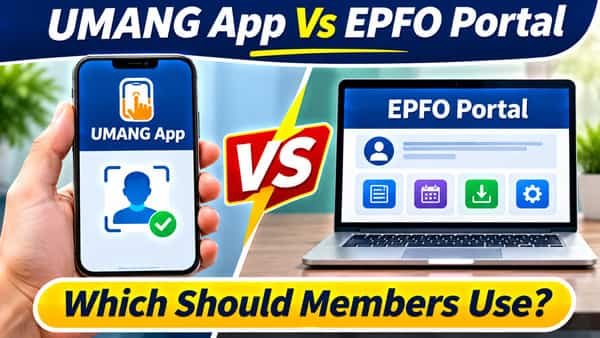
UMANG app vs EPFO portal stopped being purely a matter of taste on 1 August 2025. From that date, EPFO made UAN allotment and activation possible only through the UMANG app, using Aadhaar-based face authentication. A new employee who wants a UAN, or an existing member who never activated one, now has to start on a phone. Once that step is done, though, most services are available on both, and each has clear strengths. The member portal is still the better place for nomination, transfers and detailed records, while UMANG wins for quick checks and anything involving identity. This comparison lays out which to open for which task.
| Point of comparison | UMANG app | EPFO member portal |
| What it is | Government of India’s multi-service mobile app, with EPFO as one of many departments | EPFO’s own website for members (Member e-Sewa) |
| Built by | National e-Governance Division, Ministry of Electronics and IT | EPFO |
| Device | Android or iOS phone; web version also available | Any browser on computer or phone |
| UAN allotment and activation | Yes, mandatory route since 1 August 2025 | No longer the route for new activation |
| Face authentication of existing UANs | Yes | No |
| Extra app needed | AadhaarFaceRD, for face authentication | None |
| Passbook view | Yes | Yes, through the passbook portal |
| Raise and track claims | Yes, including scheme certificate (Form 10-C) | Yes |
| UAN card download | Yes | Yes |
| e-Nomination, transfers, profile corrections | Handled mainly on the portal | Yes |
| Pension services | Pension passbook, Jeevan Pramaan update | Limited, through separate pension pages |
| Employer services | Remittance details, TRRN status | Separate employer portal |
| Login | UAN and password, OTP; app MPIN for UMANG itself | UAN and password, captcha, OTP |
What Only UMANG Does Now
EPFO introduced face authentication services on UMANG through a circular in April 2025, then made them the required route for new UANs from 1 August 2025. UMANG now carries three UAN services:
- UAN Allotment and Activation, for employees who don’t have a UAN yet
- UAN Activation, for members whose UAN exists but was never activated
- Face Authentication of Already Activated UANs, which verifies an existing member’s identity against Aadhaar
The process needs only an Aadhaar number, the mobile number linked to it, and a face scan. On success, the UAN and a temporary password arrive by SMS. No employer involvement is needed, which is a big change from the old system where the employer generated UANs.
What you need on the phone:
- The UMANG app
- UIDAI’s AadhaarFaceRD app, which handles the face scan
- Good light, a plain background and a steady hand during the scan
If face authentication keeps failing, make sure both apps are updated and that your Aadhaar biometrics aren’t locked through UIDAI’s services.
Where the Member Portal Still Has the Edge
The member portal remains the more complete workspace for tasks that involve forms, documents or careful review. On a larger screen, it’s simply easier to:
- File e-nomination, which involves entering family details, shares and photographs
- Request a PF transfer from an old employer’s account to the current one
- Add or update KYC such as bank account and PAN
- Correct profile details like name or date of birth through the joint declaration process
- Review full service history across multiple member IDs
- Download passbooks for each member ID as files for records
UMANG keeps adding EPFO features over time, so it’s worth checking the app’s EPFO section before assuming a task is portal-only.
Task by Task: Which One to Open
| What you want to do | Better choice | Why |
| Get a new UAN | UMANG | Required route since 1 August 2025 |
| Activate an old, never-used UAN | UMANG | Activation now runs through face authentication |
| Check PF balance quickly | UMANG | Faster on a phone, no captcha |
| View passbook for all member IDs | Either | UMANG for a glance, portal for downloads |
| File a withdrawal claim | Either | Both connect to the same claim system |
| Track a claim | UMANG | Quick status on the go |
| Add nomination | Portal | Easier with multiple family members and uploads |
| Transfer PF from an old job | Portal | Better view of all member IDs |
| Update bank account or PAN | Portal | Clearer document and detail entry |
| Correct name or date of birth | Portal | Joint declaration process sits there |
| Download UAN card | Either | Both offer it |
| Update life certificate as a pensioner | UMANG | Jeevan Pramaan service is available in the app |
| Check employer remittance as an employer | UMANG or employer portal | UMANG shows remittance and TRRN status |
Same Account, Different Doors
A common worry is whether using both causes duplicate records. It doesn’t. UMANG and the member portal connect to the same EPFO back end:
- A claim filed on UMANG shows up on the portal, and vice versa.
- A KYC update made on the portal is visible in UMANG.
- Your UAN password is the same on both. UMANG’s own MPIN only unlocks the app itself.
- OTPs always go to the mobile number linked to your UAN.
So there’s no harm in filing a claim on the portal and tracking it on UMANG. What you should avoid is filing the same claim twice “just to be safe.” The second one may be rejected, and it can confuse the settlement.
Pensioners and Employers
Pensioners often find UMANG the more convenient option. It offers a pension passbook view and a Jeevan Pramaan update, which matters because the annual life certificate keeps EPS pensions flowing. For a pensioner with a smartphone and a family member nearby to help, UMANG can save a trip to the bank or PF office.
Employers can check remittance details by establishment ID and TRRN status on UMANG. The full set of employer tasks, such as filing monthly returns and approving employee KYC, still sits on the EPFO employer portal.
When Neither Seems to Work
Both channels slow down during peak periods and maintenance windows. Before assuming something’s wrong with your account:
- Try the other channel. If the portal is slow, UMANG may respond, and the reverse is also true.
- Check the time. Late nights and early mornings are usually quicker than mid-morning.
- Update the app. Older UMANG versions sometimes fail on newly added EPFO services.
- Clear browser cache if the portal shows broken pages after an update.
For a balance check when both are struggling, EPFO’s missed call and SMS services don’t need internet at all.
Watch Out for Lookalike “UMANG” Apps
App stores carry private apps that put “UMANG” or “EPFO” in their names and ask for your UAN and password, sometimes with in-app purchases attached. They aren’t government apps. Before installing:
- Check the developer. The genuine UMANG app is published by the National e-Governance Division, Ministry of Electronics and IT.
- Never enter your UAN password in an app you can’t verify.
- Avoid APK files shared on WhatsApp or SMS claiming to be UMANG or EPFO apps.
- Be wary of any app that charges for PF balance checks. Official services are free.
A third-party app with your UAN credentials can see your personal and financial details, and in the wrong hands that’s a risk to your savings.
A Simple Rule of Thumb
Use UMANG for identity and speed: getting or activating a UAN, face authentication, quick balance checks, claim tracking and pensioner life certificates.
Use the member portal for paperwork-style tasks: nomination, transfers, KYC changes, corrections and detailed records.
Most members end up using both, and that’s exactly how the two were designed to work.
FAQs
Q1. Is UMANG mandatory for EPFO?
A. UMANG is mandatory for UAN allotment and activation through face authentication since 1 August 2025, but other services are available on both UMANG and the member portal.
Q2. Can I activate my UAN on the EPFO portal?
A. New UAN allotment and activation now happen through the UMANG app using Aadhaar face authentication.
Q3. Which app is needed for EPFO face authentication?
A. You need the UMANG app and UIDAI’s AadhaarFaceRD app on your phone.
Q4. Is my UAN password the same on UMANG and the EPFO portal?
A. Yes, the UAN password is the same, while the UMANG MPIN only opens the app.
Q5. Can I file a PF claim on UMANG?
A. Yes, you can raise and track PF claims, including a scheme certificate request, on UMANG.
Q6. Where should I file e-nomination, UMANG or the portal?
A. The member portal is the better place for e-nomination, since it handles family details and uploads more easily.
Q7. Will a claim filed on UMANG show on the EPFO portal?
A. Yes, both use the same EPFO system, so the claim appears on either.
Q8. How do I know if a UMANG app is genuine?
A. Check that the developer is the National e-Governance Division, Ministry of Electronics and IT, and never share your UAN password with other apps.