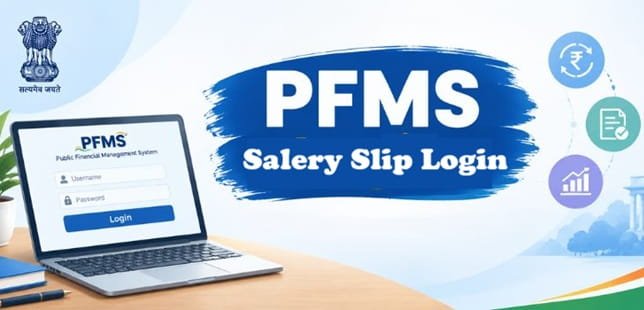
PFMS salary slip login trips up many central government employees for a reason that has nothing to do with passwords: they don’t know what their login ID is. They didn’t choose one, nobody emailed it, and the DDO’s office may not have mentioned it. In most cases, it’s simply their PAN. Once that’s clear, downloading a pay slip from the Employee Information System (EIS) takes a couple of minutes. This guide covers the login ID rules, the download steps, why a month can go missing, how to read each line on the slip and what to do when a figure looks wrong.
| Particular | Details |
| Portal | pfms.nic.in |
| Module | Employee Information System (EIS), integrated with PFMS |
| Who can use it | Employees whose salary is processed through EIS by DDOs of civil ministries and departments |
| Login ID | PAN; if no PAN is on record, Aadhaar number; if neither, the system-generated Employee Code |
| First-time password | Date of birth in DDMMYYYY, changed at first login |
| Employee Code | 12 characters, fixed for the whole of government service |
| Months available | Any month whose salary bill was prepared through EIS |
| Other slips available | DA arrears, supplementary bills, bonus, honorarium, overtime and similar bills processed through EIS |
| PAN deadline for new entries | Within three months of the employee’s data entry, or salary stops automatically |
| Who corrects errors | DDO Maker enters changes; DDO Checker verifies them |
Your Login ID Isn’t Something You Choose
When your DDO’s office first saves your details in EIS, the system picks your employee login ID in a fixed order:
- PAN, if it’s on record
- Aadhaar number, if there’s no PAN
- Employee Code, if neither PAN nor Aadhaar is available
So if you joined without a PAN and it was added later, your login ID may still be your Aadhaar number or Employee Code. Ask your establishment section which one was used.
PAN can be left blank at the time of joining, but only briefly. If it isn’t added within three months of the initial data entry, EIS automatically stops the salary. New joiners should hand over a PAN copy in the first week.
Decoding Your 12-Character Employee Code
Your Employee Code stays with you across transfers and promotions until you leave service. It isn’t random. Take a sample code, MKP013M75001:
| Characters | Example | What it stands for |
| 1st to 3rd | MKP | First letters of first, middle and last name |
| 4th to 6th | 013 | Controller code of the ministry (013 is the Ministry of Finance) |
| 7th | M | Gender (M or F) |
| 8th and 9th | 75 | Last two digits of birth year |
| 10th to 12th | 001 | Running serial number |
If you don’t have a middle or last name, an asterisk fills that spot, so an employee named only “Manohar” would have a code starting M**. Knowing the structure helps you spot a wrong entry quickly. If your code shows the wrong birth year or gender, your personal details were saved incorrectly and need fixing at the DDO’s end.
Downloading Your Pay Slip, Step by Step
- Open pfms.nic.in and click Login.
- Choose the financial year that contains the month you want.
- Enter your login ID (usually PAN) and password, then complete the captcha and OTP.
- Set a new password if it’s your first login.
- Open the Employee Information System section from the menu.
- Select the pay slip option, then pick the year and month.
- View, download or print the slip as a PDF.
A tip that saves time: April to March is one financial year in PFMS. A slip for February 2026 sits under 2025-26, not 2026-27.
Why a Month Might Be Missing
If the slip for a month won’t open, the reason is usually one of these:
- Your office moved to EIS after that month. Only bills prepared through EIS appear. Older salaries paid through other software won’t be there.
- The bill hasn’t been passed yet. A salary bill moves from DDO Maker to DDO Checker, gets uploaded to PFMS and then is passed by the Pay and Accounts Office. Until the PAO passes it and payment is made, the cycle isn’t complete.
- The PAO returned the bill. If the PAO raised an objection, the bill goes back to the DDO for correction and reprocessing.
- You were transferred mid-month. Your old and new offices each pay part of that month, usually through supplementary bills, so you may see two partial slips instead of one.
- You picked the wrong financial year at login.
What Each Line on the Slip Means
| Section | Item | What it is |
| Earnings | Basic Pay | Pay at your level in the pay matrix |
| Earnings | Dearness Allowance (DA) | A percentage of basic pay, revised periodically by the government |
| Earnings | House Rent Allowance (HRA) | Depends on your city class; stops if you’re allotted government quarters |
| Earnings | Transport Allowance (TA) | Depends on your pay level and the city class set for TA |
| Earnings | Exceptional allowances | Only for certain posts, such as Non-Practising Allowance for doctors or deputation allowance |
| Deductions | GPF subscription or NPS Tier-I | GPF for employees under the old pension scheme; NPS Tier-I is deducted automatically for NPS employees |
| Deductions | CGEGIS | Central Government Employees Group Insurance Scheme |
| Deductions | CGHS | Contribution for Central Government Health Scheme coverage |
| Deductions | Licence fee | Rent for government quarters, shown instead of HRA |
| Deductions | Income tax | Tax deducted based on your projected annual income and declared savings |
| Deductions | Loan recoveries | Instalments of advances such as House Building or Computer Advance |
| Deductions | Non-government recoveries | Association fees, cooperative society dues or court attachments |
| Total | Net Pay | Gross earnings minus all deductions, credited to your bank |
Pay Slips Beyond the Monthly Salary
EIS also produces separate bills, and each one has its own breakdown:
- DA arrears, when a DA increase is announced with retrospective effect
- Supplementary bills, for delayed payments, transfers or suspension cases
- Salary arrears, after a pay fixation or promotion order
- Bonus, honorarium and overtime allowance
- Leave encashment on LTC and tuition fee reimbursement
If a lump sum lands in your account and you can’t match it to your monthly slip, it’s often one of these. Your DDO’s office can tell you which bill it came from.
When the Slip Shows a Wrong Figure
You can view your data in EIS but can’t edit it. Corrections go through your DDO’s office:
- A dealing hand (DDO Maker) enters the change through the system’s change module.
- The DDO Checker verifies it. Until then, nothing changes on your slip.
- Some details, like name and date of birth in the personal tab, are locked once saved and need a stricter correction route.
Common examples and their usual causes:
- HRA still paid after moving into quarters: the quarter allotment hasn’t been verified by the DDO Checker.
- January or July increment missing: the annual increment order hasn’t been released in EIS.
- Old pay level after promotion: promotion details are entered, but pay fixation hasn’t been completed and verified.
Carry a copy of the relevant order (allotment, increment or promotion) when you approach the establishment section. It makes the correction faster.
FAQs
Q1. What is the login ID for PFMS salary slip?
A. The login ID is usually your PAN. If PAN is not recorded in the system, the login ID may be your Aadhaar number or the system-generated Employee Code.
Q2. Where can I download my pay slip on PFMS?
A. Log in to the PFMS portal, open the Employee Information System (EIS), go to the pay slip option, and select the required month to view or download your salary slip.
Q3. Why can’t I see my old pay slips on PFMS?
A. PFMS generally displays pay slips only for months in which salary bills were processed through the Employee Information System (EIS). Therefore, salary slips from before your office started using EIS may not be available.
Q4. What is the Employee Code in PFMS EIS?
A. The PFMS EIS Employee Code is a permanent 12-character code generated using details such as the employee’s initials, ministry controller code, gender, birth year, and a serial number.
Q5. Can I correct my pay details myself in EIS?
A. No. Corrections to employee pay details are entered by the DDO’s office and take effect only after they are verified by the DDO Checker.
Q6. Will my salary stop if PAN isn’t updated in EIS?
A. Yes. If PAN is not added within three months of the initial data entry, EIS can automatically stop salary processing until the required information is updated.
Q7. Can I download DA arrear slips from PFMS?
A. Yes. DA arrears and other bills processed through EIS can be available along with regular monthly salary slips.
Q8. Is the PFMS pay slip available for defence or railway employees?
A. No. PFMS EIS primarily covers DDOs of Central Government civil ministries and departments. Defence and railway employees generally receive their salary slips through their respective departmental systems.