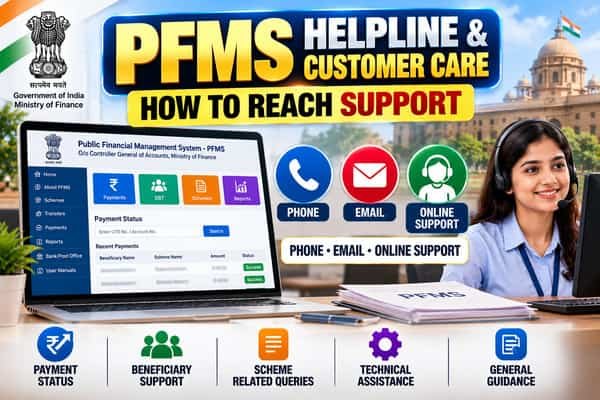
PFMS helpline, customer care and email support have been in place since 26 May 2017, when the Controller General of Accounts opened a dedicated help desk for users facing operational difficulties on PFMS. The toll-free number and email address announced then are still the main routes today. But PFMS support is only one door among several. Scholarship issues, salary slip problems, training queries and scheme eligibility each have their own channels, and calling the wrong one usually means being redirected. This guide brings every official contact together, explains what the PFMS helpdesk can and can’t do, and shows how to write a request that gets a useful answer the first time.
| Contact | Details | Use it for |
| PFMS toll-free helpdesk | 1800 118 111 | Operational problems with PFMS and payment queries |
| PFMS helpdesk email | helpdesk-pfms@gov.in | Detailed issues with screenshots or records |
| PFMS office phone | 011-23343860 | General contact with the PFMS office |
| Online grievance | “PFMS Helpdesk Post Grievance Here” link on the PFMS Contact Us page | Recorded complaints you want to track |
| Office address | PFMS, Office of the CGA, 3rd and 4th Floor, Shivaji Stadium Annexe, Shaheed Bhagat Singh Marg, Connaught Place, New Delhi – 110001 | Written correspondence |
| State-level contacts | State-wise list of officers posted in State Project Management Units, on the Contact Us page | Help closer to home for agencies |
| EIS (salary slips) | pfms-eis@gov.in | Employee login and pay slip issues |
| PFMS Training Cell | training-pfms@gov.in | Training schedules and sessions |
| Bharatkosh helpdesk | 011-24665534 | Online payments of fees and dues to government |
| NSP helpdesk | helpdesk@nsp.gov.in, 0120-6619540 | Scholarship applications on NSP, 8 am to 8 pm on all days except government holidays |
What the PFMS Helpdesk Can and Can’t Do
The PFMS helpdesk was set up for operational difficulties on the system. That makes it the right place for questions about how PFMS is behaving, not about decisions taken elsewhere.
It can help with:
- Explaining what a payment or validation status means in PFMS
- Errors and unexpected behaviour on PFMS screens
- Module-specific problems faced by agencies, DDOs and other users
- Routing technical issues to the right team at headquarters
It can’t:
- Approve a scholarship, pension or scheme application
- Decide whether you’re eligible for a benefit
- Release money that a scheme hasn’t sanctioned
- Change records held by your bank or the scheme portal
If your question is “Why haven’t I been approved?”, the scheme office is the right contact. If it’s “My approved payment shows a status I don’t understand,” the PFMS helpdesk can help.
Pick the Right Contact for Your Issue
| Your issue | Best first contact |
| Agency registration stuck at approval | Your approving authority or state PFMS team |
| Error while filing expenditure or transfers | PFMS helpdesk, with screenshots |
| Salary slip or employee login on EIS | Your DDO, then pfms-eis@gov.in |
| Scholarship application stuck at verification | Institute, then NSP helpdesk |
| Scholarship sanctioned but payment status unclear | PFMS helpdesk |
| Paying a government fee online | Bharatkosh helpdesk |
| Need to join a PFMS training session | PFMS Training Cell |
| Bank says account isn’t DBT-enabled | Your bank branch |
Calling the Toll-Free Number
The toll-free line works on regular phones and mobiles and is staffed during office hours on working days. Hours listed on different websites vary, so plan to call during the middle of the working day rather than right at opening or closing.
A few tips make calls more productive:
- Call from a quiet place with your documents in front of you.
- Start with one sentence summarising the problem, such as “My scholarship shows sanctioned on NSP but validation failed on PFMS.”
- Note the date, time and name of the person you spoke to, if shared.
- Ask what to do if the issue isn’t resolved, and whether you should follow up by email.
Writing an Email That Gets Answered
Email suits problems that need screenshots, account details or records. Helpdesks handle large volumes, so a clear, complete email moves faster than a vague one.
Use a specific subject line. Include who you are, the module and the issue, for example: “Implementing agency | EAT | Error while filing expenditure for 2026-27.”
Follow a simple structure in the body:
Dear PFMS Helpdesk,
I am [name], [designation] at [office or agency name], [state].
Role on PFMS: [operator, approver, DDO, beneficiary, etc.]
Login ID or agency code: [if applicable]
Module or screen: [e.g., EAT, DBT, payment status]
Issue: [one or two sentences describing what happens]
Since when: [date]
Steps already tried: [e.g., cleared cache, tried another browser]
Screenshot attached showing the error with date and time.
Regards,
[Name, mobile number]
Things to leave out: passwords, OTPs, full card numbers and DSC PINs. The helpdesk never needs them.
Posting a Grievance Online
The PFMS Contact Us page has a link to post a grievance with the helpdesk. Use it when you want a recorded complaint you can follow up on, especially after an earlier call or email didn’t resolve the issue. Keep the grievance number you receive and quote it in any later communication.
State-Level Support
For agencies, help is often faster from the state level. The PFMS Contact Us page links to a state-wise list of senior accounts officers, accounts officers and assistant accounts officers posted in State Project Management Units. These officers support registration, scheme configuration and day-to-day issues in their states, and they’re often better placed than headquarters to solve local problems quickly.
How to Escalate
If a problem drags on, move up step by step instead of contacting everyone at once:
- Your own office or agency admin, for anything about your user ID or roles
- The state PFMS team or SPMU, for agency and scheme set-up issues in the state
- The PFMS helpdesk, by phone, email or online grievance, for system problems
- CPGRAMS, if a genuine public grievance remains unresolved after the above
Each step should include the reference number from the previous one. That record shows the issue has been raised properly and saves everyone from starting over.
Beware of Fake Helpline Numbers
Search results, social media posts and online directories sometimes show “PFMS customer care” numbers that have nothing to do with the government. A few safeguards:
- Take numbers only from official pages, such as the PFMS Contact Us page or the scheme’s own portal.
- The official PFMS helpline is a toll-free 1800 number. Ordinary mobile numbers claiming to be PFMS support are a warning sign.
- No genuine helpdesk will ask for your OTP, UPI PIN, ATM PIN or net banking password, or ask you to install an app to “fix” a payment.
- Report fraud attempts on the national cyber crime helpline, 1930.
FAQs
Q1. What is the PFMS toll-free helpline number?
A. The PFMS toll-free helpline number is 1800 118 111.
Q2. What is the official PFMS helpdesk email?
A. The official PFMS helpdesk email address is helpdesk-pfms@gov.in.
Q3. When was the PFMS helpdesk started?
A. The Controller General of Accounts (CGA) opened the PFMS helpdesk on 26 May 2017 to provide support to PFMS users.
Q4. Can the PFMS helpdesk approve my scheme application?
A. No. The PFMS helpdesk does not decide scheme eligibility or approve applications. Approval and eligibility decisions are handled by the concerned scheme office or implementing authority.
Q5. How can I file a complaint with PFMS online?
A. You can use the grievance link available on the PFMS Contact Us page to submit a complaint online. Keep the grievance number after submission so you can use it for follow-up.
Q6. Where can state agencies find local PFMS contacts?
A. The PFMS Contact Us page provides access to a state-wise list of officers posted in State Project Management Units (SPMUs) for local PFMS assistance.
Q7. What is the NSP helpdesk number?
A. The National Scholarship Portal (NSP) helpdesk number is 0120-6619540. It is available from 8 AM to 8 PM on all days except government holidays.
Q8. Will the PFMS helpdesk ask for my OTP?
A. No. The PFMS helpdesk will never ask for your OTP, PIN, or password. Such confidential credentials should not be shared with anyone.